What is an H1 Tag? (And How to Use It for SEO)
Written by Habib Ur Rehman • Last Updated: November 10, 2026
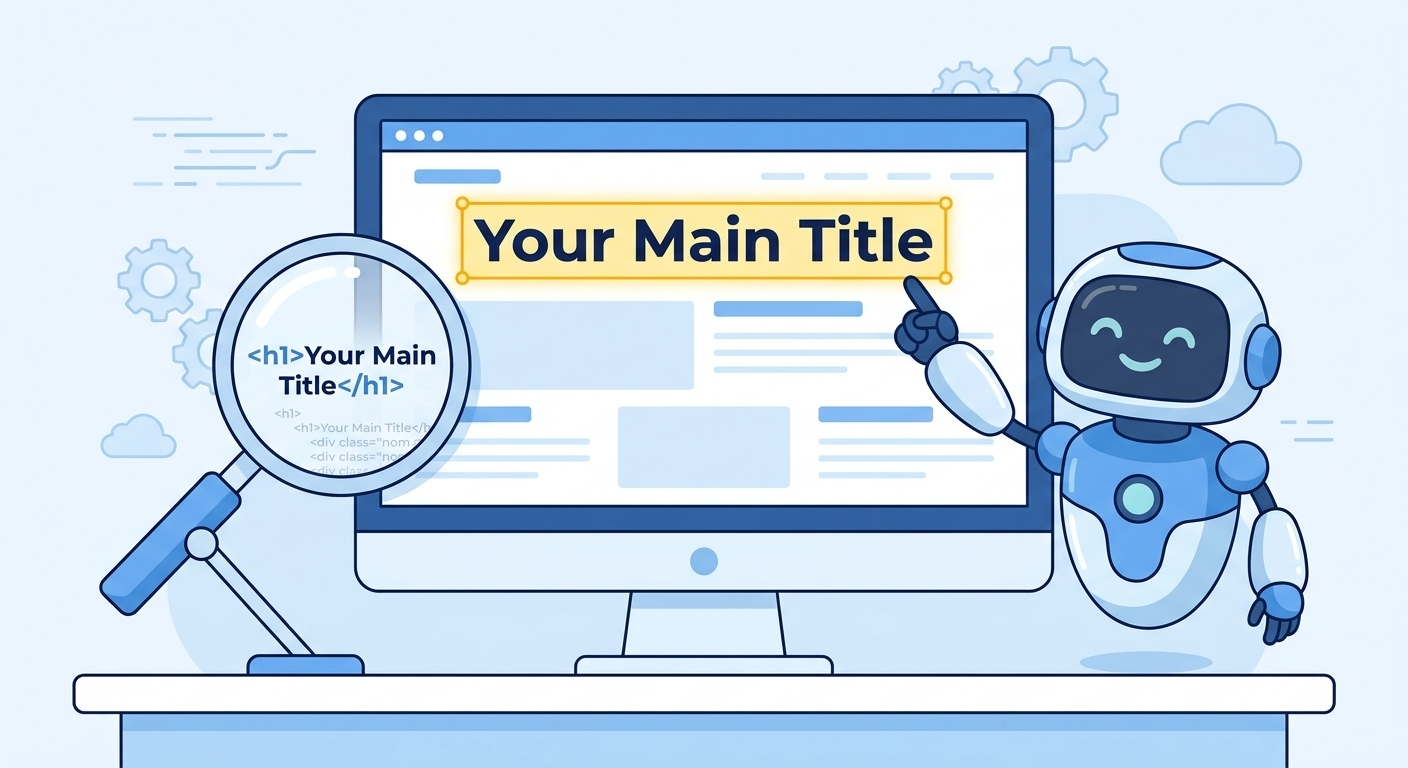
Quick Summary: An H1 tag is the main heading of a webpage. It is usually the largest text on the page and tells both readers and search engines what the content is about. You should only use one H1 tag per page. Using it correctly helps Google understand your content, improves user experience, and is a core part of on-page SEO. It is different from the Title tag, which appears in the browser tab.
Hello! If you have ever looked at the HTML code of a website, you have probably seen tags like <h1>, <h2>, and <h3>. These are heading tags. And the most important one is the H1 tag.
Many beginners ignore the H1 tag. They just write a title and let their website builder handle the rest. But this is a big mistake. The H1 tag is one of the strongest on-page SEO signals you have. If you use it wrong, you can hurt your rankings.
In this guide, I will explain exactly what an H1 tag is, why it matters, and how to use it perfectly on every page. I will also show you how to check your H1 tags and fix common mistakes. Let's get started.
What is an H1 Tag?
An H1 tag is the HTML code used to define the main heading of a webpage. It is the highest-level heading in the hierarchy of HTML headings (H1 to H6). When a user visits your page, the H1 is usually the first and largest text they see.
Here is an example of what the code looks like:
<h1>How to Start a Blog in 2026</h1>The H1 tag tells the browser to display that text in a large, bold font. But more importantly, it tells Google what the page is about. Think of the H1 as the "title" of a book chapter. If you open a book and there is no chapter title, you would be confused. Google feels the same way about a webpage without an H1.
H1 Tag vs. Title Tag: What's the Difference?
This is the most common point of confusion. People often think the H1 tag and the Title tag are the same thing. They are not.
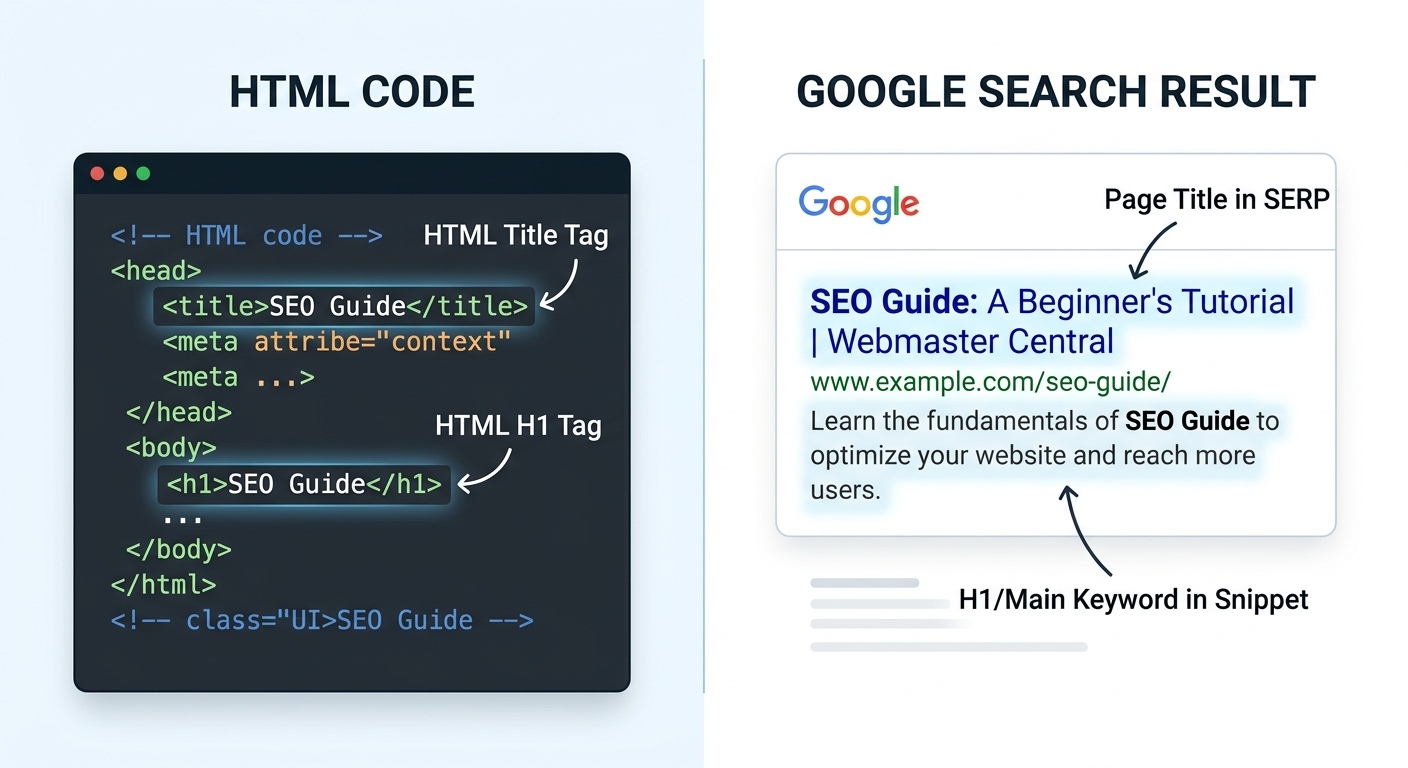
| Feature | Title Tag | H1 Tag |
|---|---|---|
| Where it Appears | Browser tab & Google search results | At the top of the page content |
| HTML Code | <title>...</title> |
<h1>...</h1> |
| Length | 50-60 characters | Can be longer, but keep it clear |
| SEO Impact | High (affects CTR) | High (affects content relevance) |
You can use the same text for both, but it is not required. For example, your Title tag might be "SEO Guide for Beginners." But your H1 tag might be "The Complete SEO Guide for Beginners in 2026." The H1 is usually more descriptive and can be longer.
Why Does the H1 Tag Matter for SEO?
You might be wondering, "Does Google really care about one tag?" The answer is yes. Here is why the H1 tag is so important:
1. It Tells Google What Your Page is About
Google's bots crawl your page and read the text. The H1 tag is usually the first piece of content they see. It acts as a summary of the entire page. If you have a page about "Chocolate Cake Recipes" but your H1 says "My Favorite Desserts", Google might get confused about what the main topic is.
2. It Improves User Experience
When a user lands on your page, they want to know instantly if they are in the right place. A clear, bold H1 tag at the top confirms they are in the right place. This reduces bounce rates because users don't have to search for the information they need.
3. It Helps with Accessibility
Screen readers use H1 tags to understand the structure of a page. Blind and visually impaired users rely on these tags to navigate. If you don't use an H1 tag, you are making your website harder to use for a large group of people. Google considers accessibility as a sign of quality.
4. It Creates a Visual Hierarchy
An H1 tag is not just for SEO. It is also for design. It tells the reader "this is the most important thing on the page." Then, H2 tags mark sections, and H3 tags mark subsections. This makes your content easy to scan and read. Long walls of text with no headings are terrible for user experience.
Best Practices for Using H1 Tags
Now that you know why H1 tags are important, let's look at how to use them correctly.
1. Use Only One H1 Tag Per Page
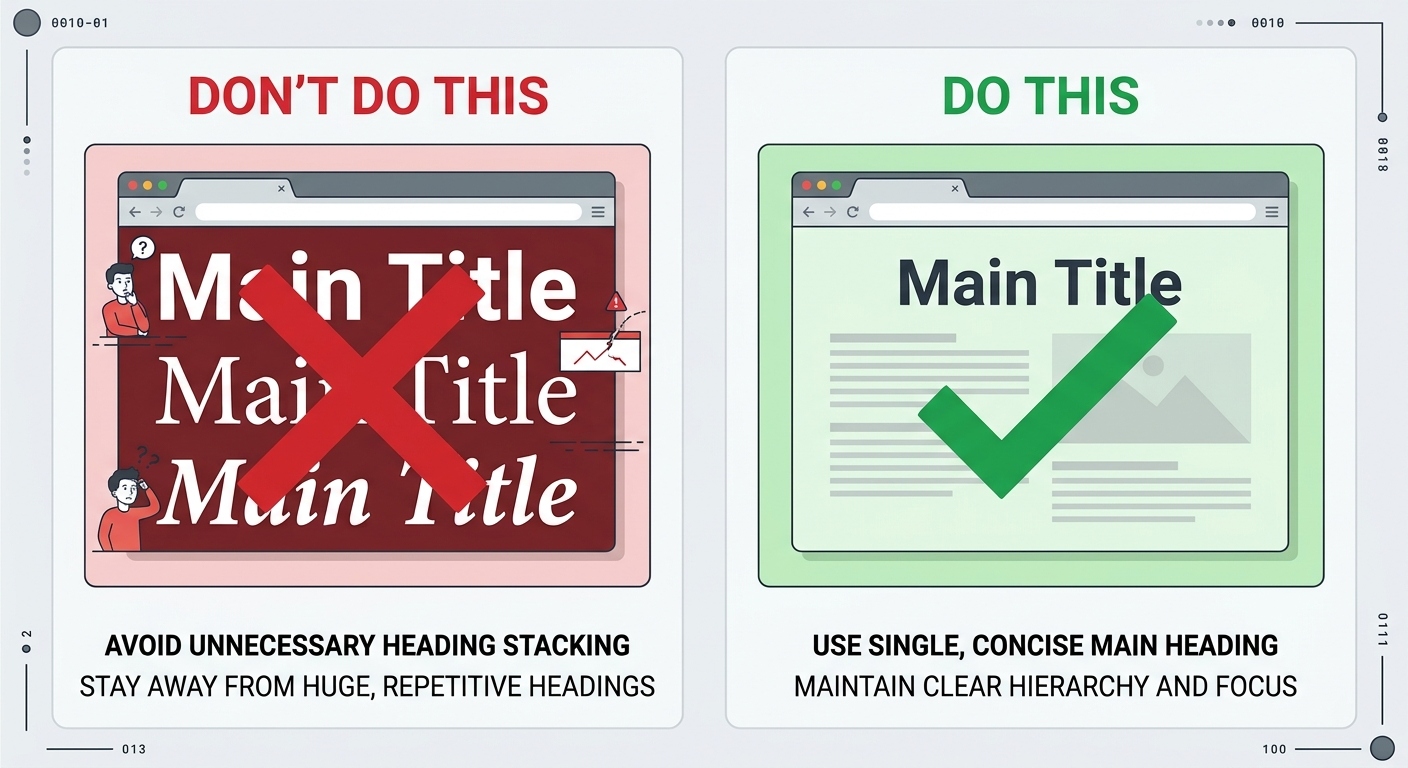
This is the golden rule. Every page on your website should have exactly one H1 tag. If you have multiple H1 tags, Google won't know which one is the most important. It might split the relevance of your page, which can hurt your rankings. It also confuses screen readers.
2. Include Your Main Keyword
Your H1 tag should include the main keyword you are targeting. For example, if your page is about "how to bake a cake," your H1 should be something like "How to Bake a Cake: A Step-by-Step Guide." Do not stuff keywords. Write it naturally. You can use our Keyword Density Checker to make sure you are not overdoing it.
3. Make it Descriptive
Your H1 should tell the user exactly what they will find on the page. Do not use vague words like "Welcome" or "My Blog." Be specific. "10 Best Coffee Shops in London" is much better than "My Favorite Places."
4. Keep it Visually Distinct
Your H1 should be the largest text on the page. It should stand out. Use CSS to make it bold, large, and clear. Do not rely on images for your H1 text. Google cannot read text inside an image.
5. Match the Search Intent
If someone is searching for "how to fix a leaky faucet," they want a practical guide. Your H1 should say "How to Fix a Leaky Faucet." If it says "The History of Plumbing," you are not matching the user's intent, and they will leave.
Common H1 Mistakes to Avoid
Even experienced bloggers make these mistakes. Make sure you don't.
Mistake 1: Multiple H1 Tags
Some website themes automatically add an H1 to the header (like the site name) and then another H1 to the post title. This is bad. You need to go into your theme settings or HTML and change the site name to an H2, or use a plugin to fix it. If you use WordPress, SEO plugins like Rank Math will warn you if you have multiple H1 tags.
Mistake 2: No H1 Tag At All
Sometimes, a page builder will use a <div> or <span> with a large font size to style a heading. It looks like an H1 to the user, but in the code, it is not an H1. Google does not know it is a heading. You must use the actual <h1> tag.
Mistake 3: Using an Image Instead of Text
A beautiful image with a title inside it might look great. But Google cannot read the text inside the image (unless it has alt text, and even then, it's not as strong as real text). Always use real text for your H1.
Mistake 4: Hiding the H1 Tag
Some people hide the H1 tag using CSS (display: none) and use an image or logo instead. This is a big no-no. Google might see this as deceptive. The H1 should be visible to everyone.
How to Check Your H1 Tags
You might be wondering if your website has the correct H1 tags. Here are two easy ways to check:
1. Use the "Inspect Element" Tool
Open your webpage in Chrome or Firefox. Right-click on the main heading and select "Inspect." A developer panel will open. Look at the HTML code highlighted. It should start with <h1>. If it starts with <div> or <h2>, you have a problem.
2. Use an SEO Plugin
If you use WordPress, plugins like Rank Math or Yoast SEO have a built-in "SEO Analysis" tool. When you write a post, they will tell you if you are missing an H1 tag or if you have multiple H1s. It is the easiest way to stay on top of your on-page SEO.
How to Fix Your H1 Tags
If you find a mistake, don't worry. It is usually easy to fix.
- In WordPress: Go to the post editor and change the block type of your title to "Heading 1". If the theme is adding a duplicate H1, go to Appearance > Customize > Typography/Header and change the site title tag to H2 or use an SEO plugin to override the theme.
- In HTML: Open your HTML file and find the main heading. Change the
<div>or<h2>tag to<h1>and</h1>.
A Note from the Developer
"I once built a site with a beautiful custom header. I used an image for the page title because it looked better. I didn't realize I was missing an H1 tag entirely. My rankings were terrible for months. I couldn't figure out why. Finally, a friend pointed out the missing H1. I added a real text H1 tag (styled to look good) and within a few weeks, my page started ranking for its main keyword. Don't ignore the basics!" — Habib Ur Rehman
Frequently Asked Questions
What is an H1 tag?
An H1 tag is the main heading of a webpage. It tells both users and search engines what the page is about. You should use only one H1 tag per page.
What is the difference between an H1 tag and a title tag?
The title tag appears in the browser tab and Google search results. The H1 tag appears at the top of the page content. They can be the same, but the H1 is usually more descriptive.
Do I need an H1 tag for SEO?
Yes. H1 tags help Google understand your page structure and content. Without an H1, Google might struggle to know what your main topic is.
Can I use multiple H1 tags on one page?
It is not recommended. Using multiple H1 tags dilutes the relevance of your main keyword. Stick to one H1 per page for the best results.
Should my H1 tag be the same as my title tag?
Not necessarily. They should be related and contain the same keyword, but they can be slightly different. The title tag is for search results, and the H1 is for the page itself.
Conclusion
The H1 tag is a small piece of code, but it has a big impact on your SEO. It tells Google what your page is about, improves user experience, and makes your content accessible. Always make sure you have exactly one H1 tag per page, and that it contains your main keyword.
If you want to check if your H1 tags are perfect, use our free Meta Tag Generator to create the right tags for your page. And if you want to ensure your content is well-optimized, use our Keyword Density Checker. Happy optimizing!
Explore More Free SEO Tools
Written and reviewed by: Habib Ur Rehman, Full-Stack Web Developer & SEO Specialist.
Last Updated: November 10, 2026.