The Complete Guide magic keyword tool: Find Profitable Keywords Worldwide
Welcome to the most powerful free keyword magic tool on the internet. If you are running a website, a blog, or an e-commerce store, you already know that traffic is everything. But not all traffic is created equal. Getting random visitors who leave immediately won't help your business. You need visitors who are actively looking for what you offer. This is where a magic keyword tool comes into play.
Our free keyword magic tool uses Advanced Artificial Intelligence to take the guesswork out of SEO. You don't need to be an expert to use it. Just type in a basic idea, and our tool acts like a magic wand, revealing the exact words and phrases real people are typing into Google. In this comprehensive guide, we will walk you through how to use this tool, what the metrics mean, and how to build a winning SEO strategy from scratch.
How to Use Our Magic Keyword Tool (Step-by-Step)
Using the tool is incredibly simple. We designed it to be user-friendly for beginners while still providing the depth that advanced SEO professionals need. Here is how to get started:
- Enter a Seed Keyword: Look at the search bar at the top of this page. Type in a broad word that describes your business. For example, if you sell shoes, type "running shoes." If you are a plumber, type "plumbing services."
- Select Your Target Country: This is a crucial step. People in the United States search for different things than people in Pakistan or the UK. Use the dropdown menu to select a specific country, or choose "All World" to see global data.
- Hit Search: Click the blue search button. The free keyword magic tool will instantly generate a list of related keywords.
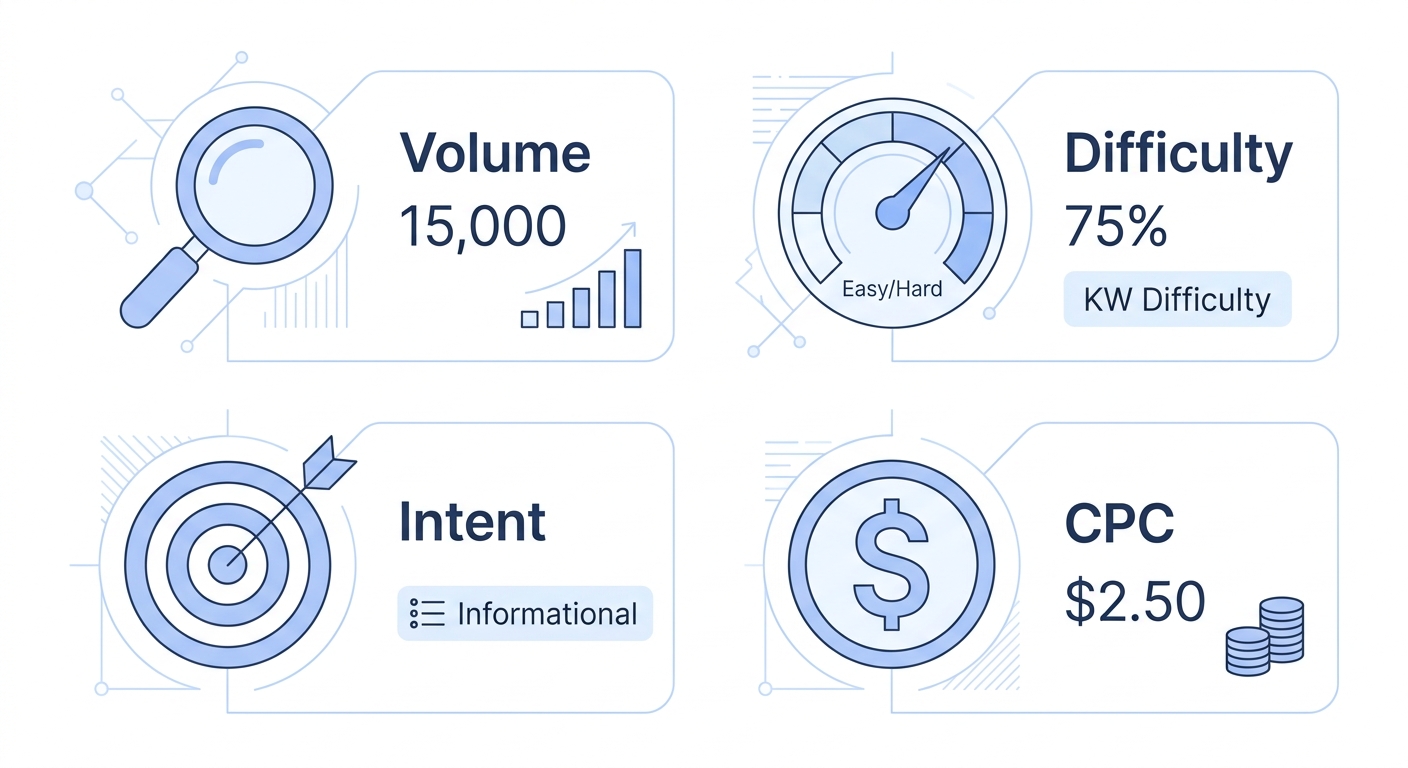
- Analyze the Data: Look at the table generated. Don't just pick the first word you see. Look at the Volume (how many people search for it) and KD (how hard it is to rank).
Why is Targeting the Right Country So Important?
Many SEO tools only give you global data. But global data can be misleading. Imagine you have a local bakery in London. If a keyword has a search volume of 100,000 globally, that sounds amazing. But if 99,000 of those searches come from the United States, it won't help your London bakery at all.
By using the country selector in our magic keyword tool, you can see the exact search volume for your specific market. If you choose the "All World" option, you are looking at the macro picture, which is perfect for international businesses, global software companies, or broad informational blogs.

Understanding the Metrics (Made Easy)
When you use the free keyword magic tool, you will see several numbers and icons. Don't let them intimidate you. Here is what they mean in the simplest terms possible:
1. Search Volume
This is simply the average number of times people search for that exact keyword every month. If the volume is 10,000, it means people search it 10,000 times a month. Higher volume means more potential traffic, but usually, it also means higher competition.
2. Keyword Difficulty (KD)
KD is a score from 0 to 100. It tells you how hard it will be to reach the first page of Google for that keyword.
• 0 - 20 (Easy): You can rank for these with basic on-page SEO, even on a new website.
• 21 - 50 (Medium): You will need good content and a few backlinks.
• 51 - 100 (Hard): These are dominated by big brands like Amazon or Wikipedia.
3. Search Intent (The Most Important Metric)
Intent is the "why" behind the search. If you don't match your content to the user's intent, you will never rank. There are four main types:
- Informational (I): The user wants to learn something (e.g., "what is SEO").
- Navigational (N): The user is looking for a specific website (e.g., "Facebook login").
- Commercial (C): The user is researching before buying (e.g., "best coffee maker 2026").
- Transactional (T): The user is ready to buy (e.g., "buy coffee maker online").
The A, B, C, D Strategy: How to Use These Keywords
Once you have your list of keywords from our magic keyword tool, don't just throw them into a random article. You need a strategy. Use this A, B, C, D method based on the Intent:
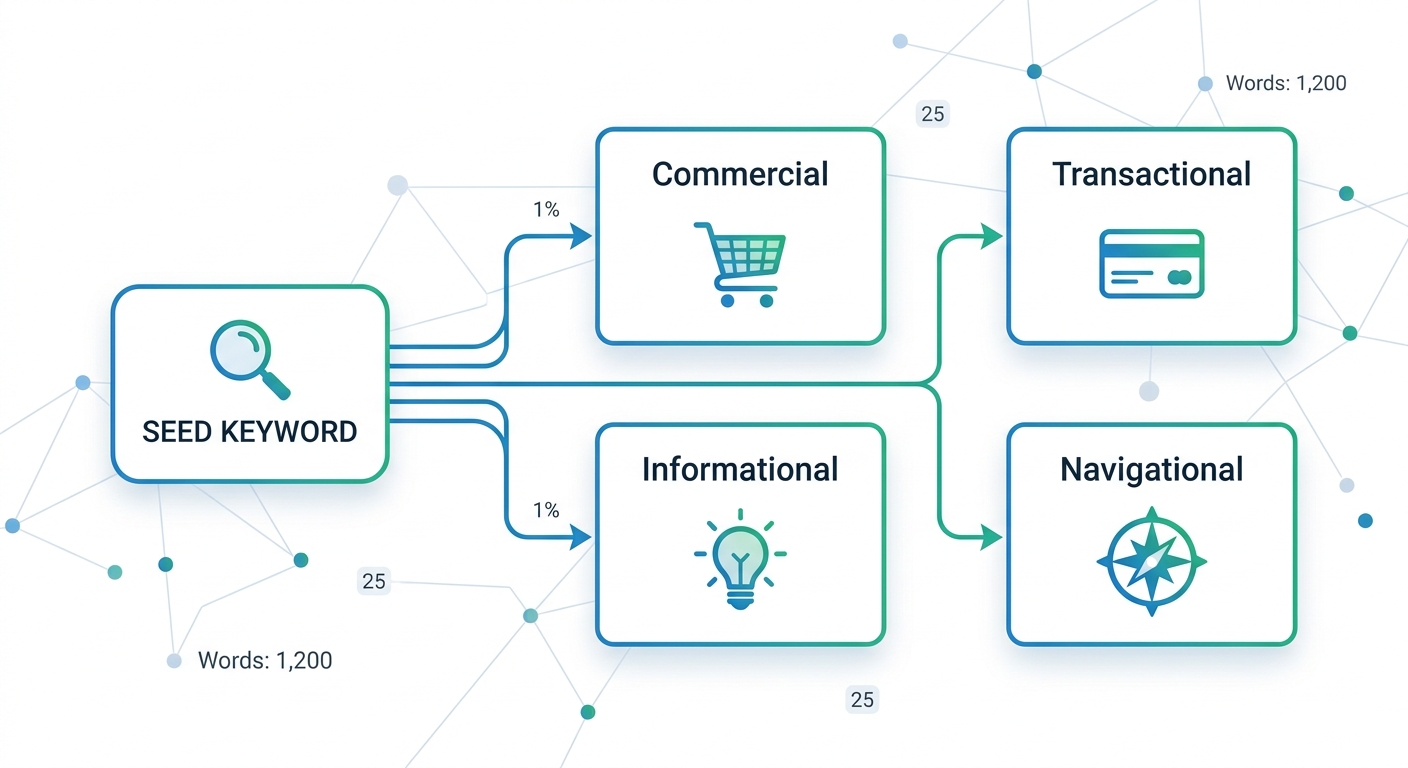
- A. Informational Keywords (I): Create in-depth blog posts, tutorials, and guides. (e.g., "How to use free keyword magic tool"). You can also make YouTube videos for these.
- B. Commercial Keywords (C): Create comparison pages, reviews, and "Best of" lists. (e.g., "Magic Keyword Tool vs Semrush"). Add internal links to your tool here.
- C. Transactional Keywords (T): Send these users directly to your sign-up or pricing page. (e.g., "keyword tool free trial").
- D. Navigational Keywords (N): Ensure your brand name is ranking #1. (e.g., "SEO Review Kit Login").
How to Build a Full SEO Strategy with This Tool
Now that you have your list of keywords, what do you do with them? Follow this strategy:
- Group Your Keywords: If you have 100 keywords, group them by topic.
- Create Pillar Content: Pick a medium-difficulty keyword and write a comprehensive, 2000+ word guide.
- Internal Linking: Write smaller articles targeting the long-tail keywords, and link them back to your main pillar article.
- External Linking: Don't be afraid to link out to trustworthy sites like Google's developer docs or Moz.
To learn more about how Google structures its search results, you can read the official Google Search documentation.
Explore More Free SEO Tools & Guides
Written and reviewed by: Habib Ur Rehman, Full-Stack Web Developer & SEO Specialist.
Last Updated: November 3, 2026.