What are Broken Links and Why Do They Matter?
Imagine walking into a library, following a catalog entry to a specific shelf, only to find the book missing. That is exactly what a broken link feels like to a user. A broken link, also known as a dead link, is a hyperlink that points to a webpage that no longer exists. When a user clicks on it, they are typically greeted with a "404 Not Found" error page.
Broken links can occur for several reasons. The most common is that the destination page has been deleted or moved without a redirect being set up. They can also happen if the URL was typed incorrectly, or if the external website you are linking to has gone offline permanently.
The Impact of Broken Links on SEO
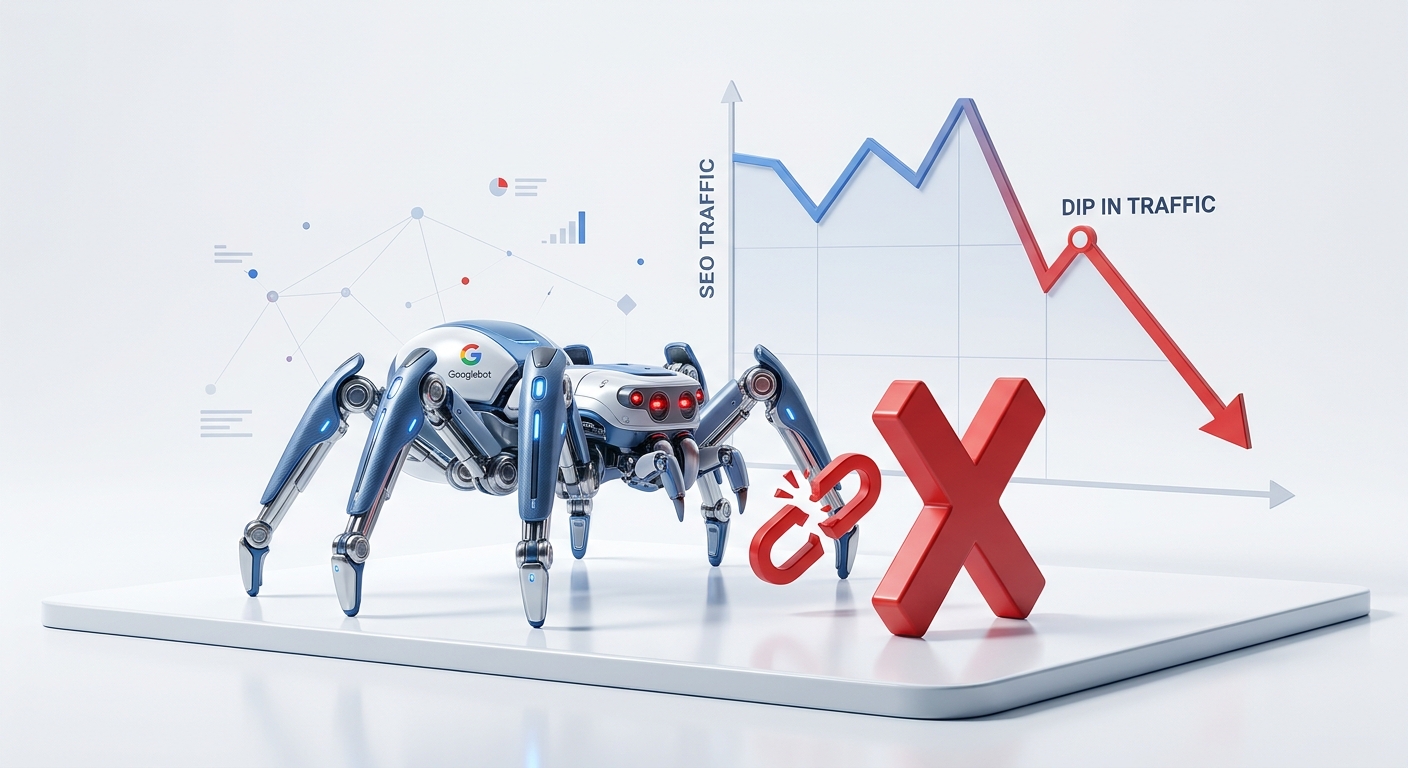
From an SEO perspective, broken links are a major red flag. Google and other search engines use links to crawl the web and understand the relationship between different pages. When Googlebot encounters a broken link, it wastes crawl budget. If your site has a high number of broken links, Google may perceive your site as poorly maintained and low-quality. This can lead to lower rankings in search results.
Furthermore, broken external links can damage your credibility. If you link to a resource that no longer exists, users may view your content as outdated or unreliable. Therefore, regularly using a broken link checker is an essential part of any serious SEO strategy.
Why Should You Use Our Broken Link Checker?
There are many tools available, but our free broken link checker is designed to be fast, accurate, and user-friendly. Whether you are a blogger with a small site or an agency managing hundreds of pages, keeping your links healthy is crucial. Our tool helps you:
- Improve User Experience: No one likes clicking a link and hitting a dead end. Fixing broken links keeps your visitors happy and engaged.
- Boost SEO Rankings: A clean link profile signals to Google that your site is well-maintained and trustworthy.
- Save Time: Manually checking every link is impossible. Our tool automates the process, saving you hours of tedious work.
- Identify Link Opportunities: By finding broken links on other sites, you can use the "broken link building" technique to earn backlinks.
How to Fix Broken Links on a Website (Step-by-Step)
Finding broken links is only half the battle. Fixing them properly is what truly matters. Here is the exact process you should follow:
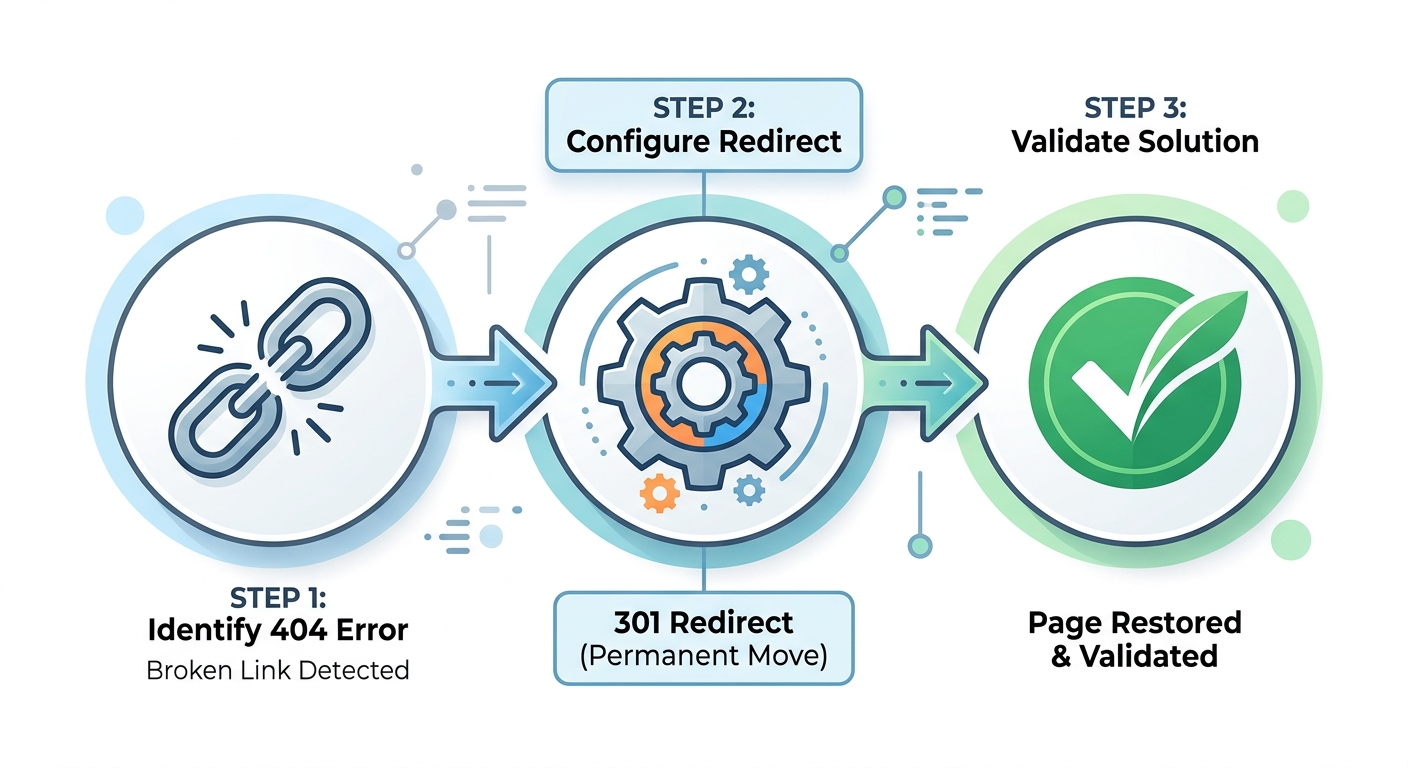
Step 1: Identify the Broken Link
Use our tool above to scan your page. The results will show you exactly which URL is returning a 404 error. Note whether it is an internal link (pointing to your own site) or an external link (pointing to someone else's site).
Step 2: Update the Link
If the destination page still exists but the URL has changed, simply update the link to point to the new, correct URL. This is the most common and straightforward fix for internal links. For external links, check if the website has moved to a new domain and update accordingly.
Step 3: Set Up a 301 Redirect (If Necessary)
If you have deleted a page on your own website that many people are linking to, you should set up a 301 permanent redirect. This tells search engines and users that the page has moved permanently to a new location. It preserves the link equity and prevents users from hitting a dead end.
Step 4: Replace with a Similar Resource
If the broken link points to a valuable resource that no longer exists, try to find an alternative, up-to-date resource that provides similar information. Update the link to point to the new source. This keeps your content valuable and helpful for your readers.
Broken Link Building: Turning a Problem into an Opportunity
Believe it or not, broken links can actually be a powerful SEO opportunity. This technique is called "Broken Link Building."
The concept is simple: you find broken links on high-authority websites in your niche. Then, you create a piece of content that replaces the dead resource. Finally, you reach out to the webmaster, informing them about the broken link and suggesting your content as a replacement. If they accept, you earn a high-quality backlink, and they improve their website.
Using a tool like ours to find broken links on competitors' sites is the first step in this strategy. It is a win-win situation for both parties and remains one of the most effective link-building tactics today.
Internal vs. External Broken Links
It is important to understand the difference between internal and external broken links, as they require different approaches.
- Internal Broken Links: These point to other pages within your own website. They are usually the result of a page being deleted or the URL being changed. These are critical to fix, as they disrupt the user journey on your site. You have full control over these, so update them or set up redirects immediately.
- External Broken Links: These point to pages on other websites. They are often caused by the external site moving or deleting content. While you have no control over the external site, you are responsible for the link on your page. You should either find a replacement resource or remove the link to maintain the quality of your content.
How to Check Broken Links on WordPress
If your website is built on WordPress, you have a few extra options. While our online tool works perfectly for any site, you can also use WordPress plugins like "Broken Link Checker" to run scans directly from your dashboard. However, be careful: some plugins can slow down your site if they run too frequently. Using an external tool like SEO Review Kit is often faster and safer for your server.
Explore More Free SEO Tools
Written and reviewed by: Habib Ur Rehman, Full-Stack Web Developer & SEO Specialist.
Last Updated: November 2, 2026.