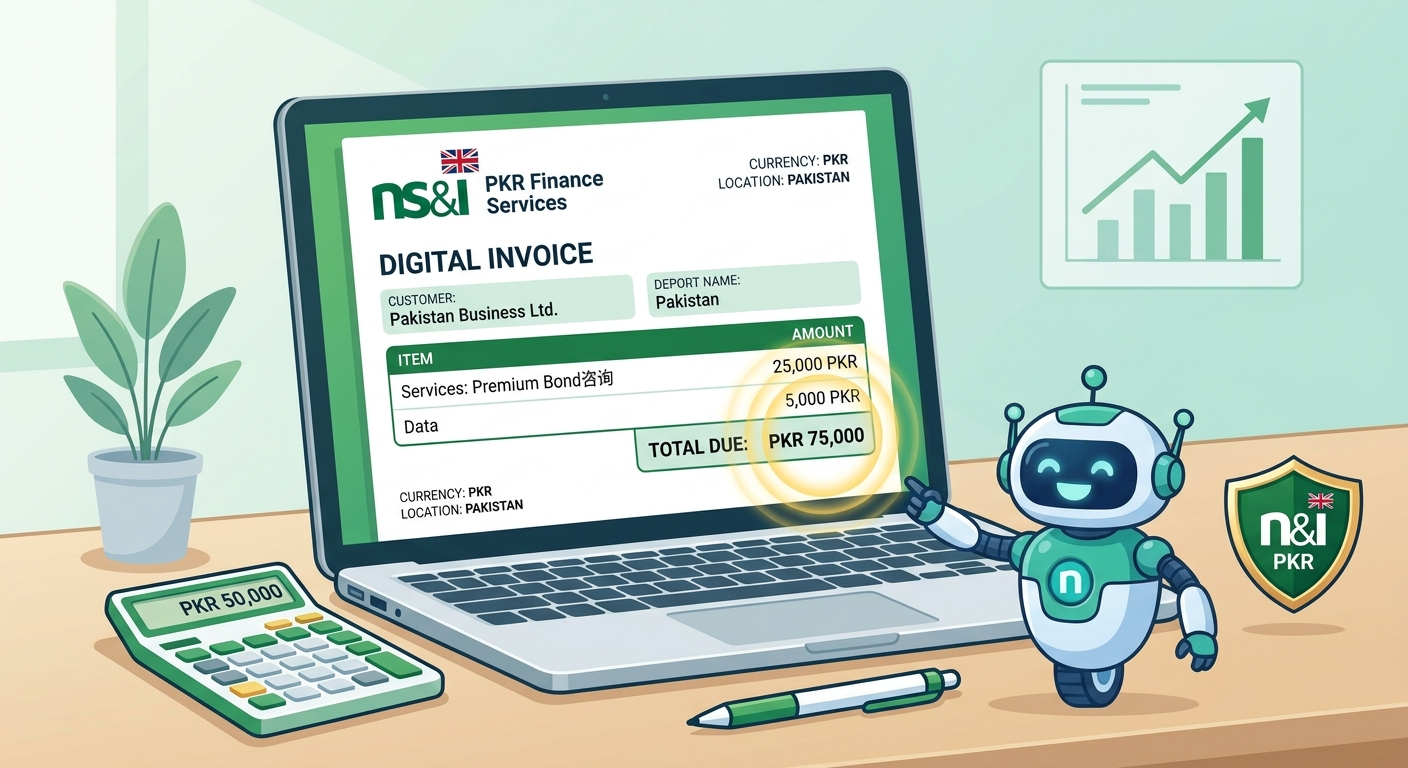
Quick Summary: A professional invoice is essential for every business in Pakistan. Our free PKR invoice generator helps freelancers, shopkeepers, and companies create custom invoices with NTN and GST fields. You can easily add items, calculate totals, and download the invoice as a PDF without any registration.
Why Do You Need a Professional Invoice in Pakistan?
If you are running a business in Pakistan, whether it is a small shop in Anarkali or a freelance web development agency in Lahore, invoices are a critical part of your operations. An invoice is not just a piece of paper asking for money; it is a legal document that records a transaction.
When you send a professional invoice, it builds trust with your client. It shows that you are organized and serious about your work. For freelancers who work with international clients (like on Upwork or Fiverr), a proper invoice with your details is often required by payment processors like Payoneer or Wise.
Moreover, with the Federal Board of Revenue (FBR) tightening regulations on digital payments and business income, having a clear record of your invoices is essential for filing your taxes and avoiding penalties.
Key Elements of a Pakistani Invoice
A standard invoice in Pakistan should contain the following information:
- Your Business Details: Name, address, phone number, and (if applicable) your NTN or STRN.
- Client Details: The name and address of the person or company you are billing.
- Invoice Number: A unique number for your records (e.g., INV-001).
- Date: The date the invoice is issued.
- Itemized List: A clear description of the goods or services provided, the quantity, and the rate per unit.
- Total Amount: The final amount due, clearly stated in PKR.
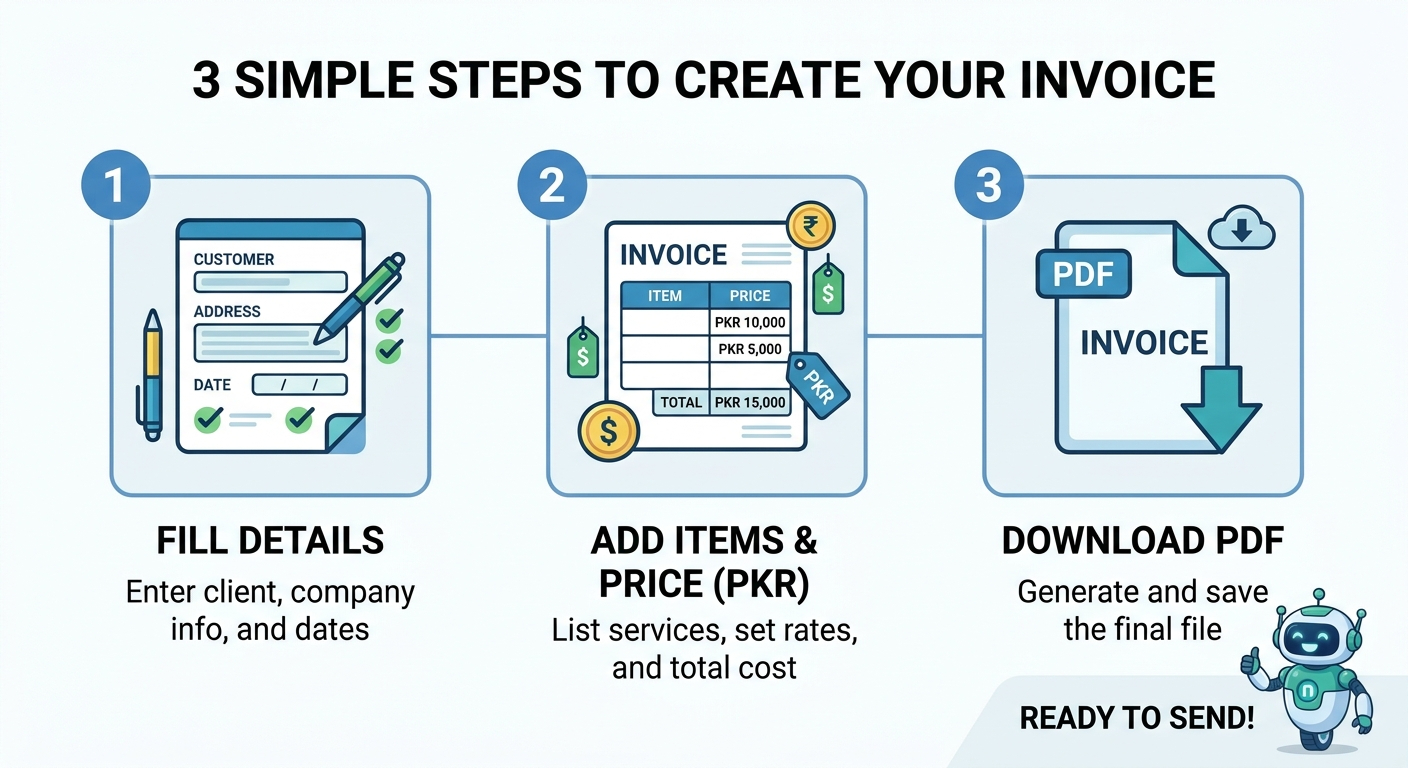
How to Use Our Free PKR Invoice Generator
Our tool is designed to be extremely user-friendly. You do not need to download any software or install an app. Follow these simple steps:
- Enter Your Details: Fill in your name, address, and NTN number in the "From" section.
- Enter Client Details: Fill in your client's information in the "To" section.
- Add Items: Write a description of your service, add the quantity, and enter your rate in PKR. The tool will automatically calculate the total.
- Generate Preview: Click the "Generate Invoice Preview" button.
- Save as PDF: In the preview window, click the "Print / Save as PDF" button. In the print dialog, select "Save as PDF" and download the file.
Freelancing in Pakistan: Why Invoices Matter
Pakistan has one of the fastest-growing freelance markets in the world. Thousands of young professionals are earning foreign exchange by working with clients in the US, UK, and UAE. However, many freelancers make a big mistake by not generating proper invoices.
When you receive money through a bank transfer or a service like Payoneer, you need proof of income for tax purposes. The FBR has recently introduced a "Freelancer Tax Regime" where freelancers can enjoy a reduced tax rate (0.25% on export proceeds) if they have a proper registration and invoice record.
Using our invoice generator helps you keep a clean financial trail. It is professional, it satisfies your foreign clients, and it keeps you safe from tax issues.
The FBR Tax Regime for Freelancers
Let's talk about taxes. It is not the most exciting topic, but it is very important. In Pakistan, the government wants to encourage freelancers to bring their money through official banking channels. To do this, they offer a very low tax rate.
If you register with the Pakistan Software Export Board (PSEB) and file your taxes correctly, you only pay 0.25% tax on your foreign earnings. This is incredibly low. However, to prove your earnings, you must have a contract and an invoice for every project you do.
If you don't have invoices, the tax authorities might question your income. They might assume you are earning more than you are, or they might charge you a higher tax rate. A simple PDF invoice generated from our tool is all you need to prove your legitimate business income.
Different Types of Invoices for Pakistani Businesses
Did you know there is more than one type of invoice? Depending on the stage of the transaction, you might need a specific type of invoice. Here are the most common ones used in Pakistan:
1. Proforma Invoice
A proforma invoice is like a quote or an estimate. You send it to the client before the work begins. It tells them what the total cost will be. It is not a demand for payment; it is a confirmation of the deal. Many exporters in Pakistan use proforma invoices to get advance payments or open a Letter of Credit (LC).
2. Commercial Invoice
This is the standard invoice we talk about. You send it after the work is done or the goods are shipped. It is a formal demand for payment. It includes the final amount, taxes, and payment terms.
3. Credit Note
A credit note is an invoice in reverse. If you charged a client too much, or if they returned a product, you issue a credit note. It reduces the amount they owe you. This is very common in retail and e-commerce.
4. Debit Note
A debit note is the opposite of a credit note. If you undercharged a client, or if there were extra shipping costs, you issue a debit note to increase the amount owed. It is a polite way of saying, "We need to charge you a little more."
Understanding NTN and GST in Pakistan
When you run a business, you will hear about NTN and GST all the time. Here is what they mean in simple words:
NTN (National Tax Number): This is your business's identity card for the tax office. You get it from the FBR. It proves that your business is registered and you are eligible to pay taxes. Many large companies in Pakistan will only work with you if you have an NTN.
GST (General Sales Tax): This is a tax you charge on goods and services. For example, if you sell a product for Rs. 100, you might charge Rs. 17 as GST. You collect this money from the client and give it to the government. Our tool allows you to add your NTN/GST details so your invoice looks professional and compliant.
How to Handle Late Payments
One of the biggest problems for business owners in Pakistan is late payments. Clients often delay paying invoices for weeks or even months. Here are a few tips to handle this professionally:
- Set Clear Terms: Write "Payment due within 14 days" on your invoice. This sets a clear expectation.
- Send Reminders: Don't be afraid to remind them. Three days before the due date, send a polite email. If they miss the date, follow up every 3 days.
- Add Late Fees: For large projects, you can mention in your contract that a 2% late fee will be applied for every week the payment is delayed. This encourages clients to pay on time.
- Stop Work: If a client owes you money for a previous project, do not start new work for them until the old invoice is cleared.
Common Invoicing Mistakes to Avoid
Even if you have a good product or service, a sloppy invoice can make you look unprofessional. Here are some mistakes you should avoid:
- Missing Invoice Number: Always number your invoices. This makes it easy to track them if a client disputes a charge.
- No Tax Details: If you are a registered company, you must include your NTN and STRN.
- Unclear Descriptions: Do not just write "Services." Write exactly what you did, e.g., "Website Development for 3 pages."
- Delayed Invoices: Always send the invoice immediately after delivering the work. The longer you wait, the harder it is to get paid.
Why Choose Our Invoice Generator?
There are many invoice tools online, but most of them are designed for the US or Europe. They don't understand PKR, NTN, or the local way of doing business. Our tool is built specifically for Pakistan.
Also, our tool is 100% private. We do not save your data on our servers. Everything is generated inside your browser. This means your financial information and client details are completely safe. You can use it as many times as you want, completely free.
A Note from the Developer
"When I started freelancing, I used to send invoices in a simple text message. One of my clients in the UK asked me to send a 'proper PDF invoice' for his accounting records. I searched online but all the good tools were paid or required a sign-up. I built this simple tool for myself. Now I use it every month for my own work, and I am happy to share it with other Pakistani freelancers." — Habib Ur Rehman
Frequently Asked Questions
Is this invoice generator really free?
Yes, our Pakistan invoice generator is 100% free. There are no hidden charges, and you do not need to create an account.
Can I add my NTN and GST number to the invoice?
Yes, you can add your NTN and Sales Tax (GST) numbers in the 'Your Details' section to make your invoice FBR-compliant.
How do I save the invoice as a PDF?
After filling in the details, click the 'Print / Save as PDF' button. In the print dialog, choose 'Save as PDF' to download the file to your device.
Is it safe to enter my business details?
Absolutely. This tool runs entirely in your browser. No data is sent to our servers. Your information is 100% private.
Can I use this for international clients?
Yes. You can use this tool for clients in the US, UK, or anywhere else. Just change the currency symbol in the description if needed, or keep the rate in USD. However, for local Pakistani clients, PKR is recommended.
Final Words
Running a business in Pakistan comes with unique challenges. But invoicing should not be one of them. Use our free tool to create professional, tax-ready invoices in seconds.
If you want to check your website's SEO health while running your business, use our free Domain Authority Checker tool. Happy billing!
Explore More Free SEO Tools
Written and reviewed by: Habib Ur Rehman, Full-Stack Web Developer & SEO Specialist.
Last Updated: November 10, 2026.